Google’s Hardware Evolution and the Rise of AI-Driven Creativity
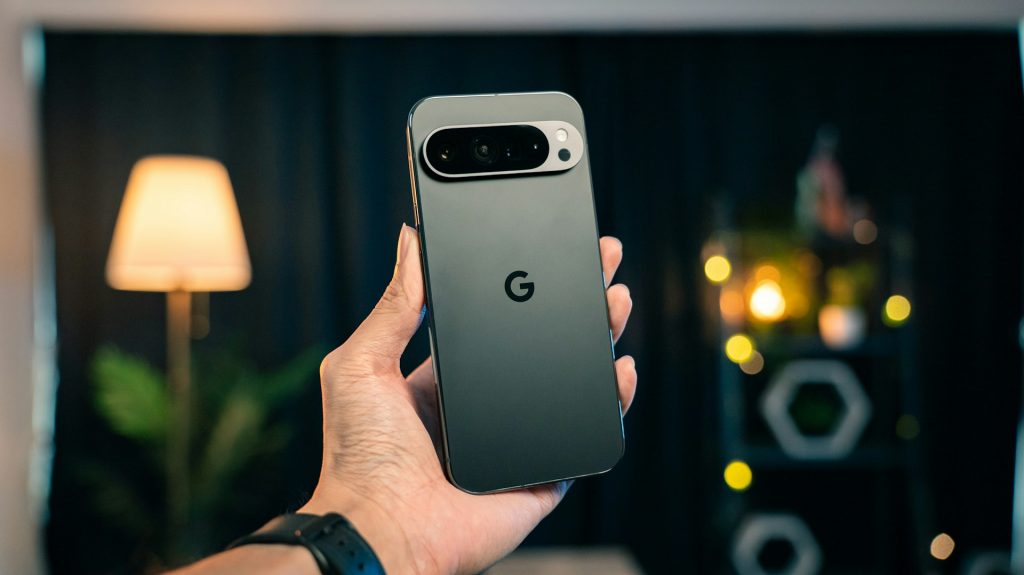
The landscape of mobile telephony has witnessed a significant transformation between the launch of the Google Pixel 6 in October 2021 and the arrival of the Google Pixel 8 in October 2023. While the earlier model established a new design language, the 2023 iteration brings a refined approach to ergonomics and performance. Notably, the Pixel 8 has adopted a more compact form factor, featuring a 6.2-inch OLED display compared to the 6.4-inch AMOLED screen found on the Pixel 6. This reduction in size has contributed to a lighter handset, weighing in at 187 grams, a welcome decrease from the hefty 207 grams of its predecessor. The display technology itself has seen a marked improvement, with the Pixel 8 offering a smooth 120Hz refresh rate and a peak brightness of 2000 nits, surpassing the 90Hz capability of the older model.
Under the Bonnet: Processing and Power
Regarding the internal machinery, Google has progressed from the original 5nm Tensor chip to the more advanced Google Tensor G3. This shift brings an upgradation in processing architecture, moving from an Octa-core setup to a Nona-core configuration, which promises better efficiency for daily tasks. Interestingly, the battery capacity has seen a slight reduction from 4614 mAh in the Pixel 6 to 4575 mAh in the newer device. However, this is compensated by faster charging speeds, as the Pixel 8 supports 27W wired charging, an improvement over the 21W limit of the previous generation. Both devices maintain the robust IP68 rating for water and dust resistance, ensuring durability remains a priority.
Photographic Capabilities and Optics
The camera department continues to be a stronghold for the series. While both handsets utilise a dual-camera system with a 50 MP main sensor, the Pixel 8 incorporates an updated sensor with a wider F1.7 aperture, allowing for superior light intake compared to the F1.9 aperture of the Pixel 6. A significant enhancement is found in the secondary 12 MP ultra-wide lens on the Pixel 8, which now features autofocus capabilities, a facility absent in the 2021 model. Furthermore, video recording on the newer device has been bolstered to support 1080p at 240 fps, providing greater flexibility for slow-motion capture.
Software Innovation and Exclusive AI Features
Moving beyond hardware specifications, Google is keen on differentiating its portfolio through exclusive software utilities, particularly in a market often dominated by Samsung and Xiaomi. A prime example of this initiative is the introduction of Pixel Studio, a novel application that leverages generative AI to create bespoke stickers and images. At present, this facility is exclusive to the Pixel 9 series and is operational in select regions including the United Kingdom, United States, India, and Australia, though it supports only English, German, and Japanese languages for the time being.
Integration with Gboard
The utility of Pixel Studio has been further enhanced through its seamless integration with Gboard, the standard keyboard application on Android devices. This development allows users to generate AI-powered stickers directly within the keyboard interface whilst engaging in conversations on platforms such as WhatsApp or Telegram. When the feature is active, a distinctive button resembling a square with a folded edge, housing the Gemini logo, appears within the Gboard layout. This integration aims to streamline the creative process, removing the need to switch between different applications to access these generative tools.
Operational Mechanics and Requirements
To utilise this feature, one must simply tap the dedicated Pixel Studio button within Gboard. The system then offers two distinct pathways: creating via a text prompt or generating a sticker based on an existing image. In either scenario, Google’s artificial intelligence manages the heavy lifting. Users are provided with a text bar to describe the desired sticker, and can further refine the output by selecting various artistic styles. Once the sticker is generated, it can be saved for future use or sent immediately within the active chat. It is pertinent to mention that accessing this integration requires the installation of Pixel Studio version 1.6 and Gboard version 15.4, alongside possession of a compatible handset from the Pixel 9 range.